
I run a Telegram channel about trading and crypto - the audience is small but steady, and people occasionally ask which broker I use and whether there's a way to earn from it myself, without depositing. I used to answer in two words, so this time I actually went through the partner path: signed up for CT Partners, Comfortrade's affiliate program, and worked out how it's built inside, not from a general description.
Signing Up and Moderation
CT Partners is a separate portal with its own login, not connected to a Comfortrade trading account. Registration is standard: email, a password of at least 8 characters, first and last name, Telegram for contact, and a captcha. You can also join through another partner's sub-affiliate link - more on that below.
After registering, the dashboard doesn't open right away - a "Let's get to know each other" window pops up asking you to message a personal manager. Full access is granted after a conversation about what traffic you plan to run. It felt like a reasonable filter rather than bureaucracy. The profile section does have two-factor authentication and a list of active sessions - you can close one if you logged in from another device and forgot to sign out.
One Model - RevShare
No confusion with models here: CT Partners runs on RevShare only, a percentage of the platform's income from referred traders. There's no CPA and no fixed payout for a sign-up.
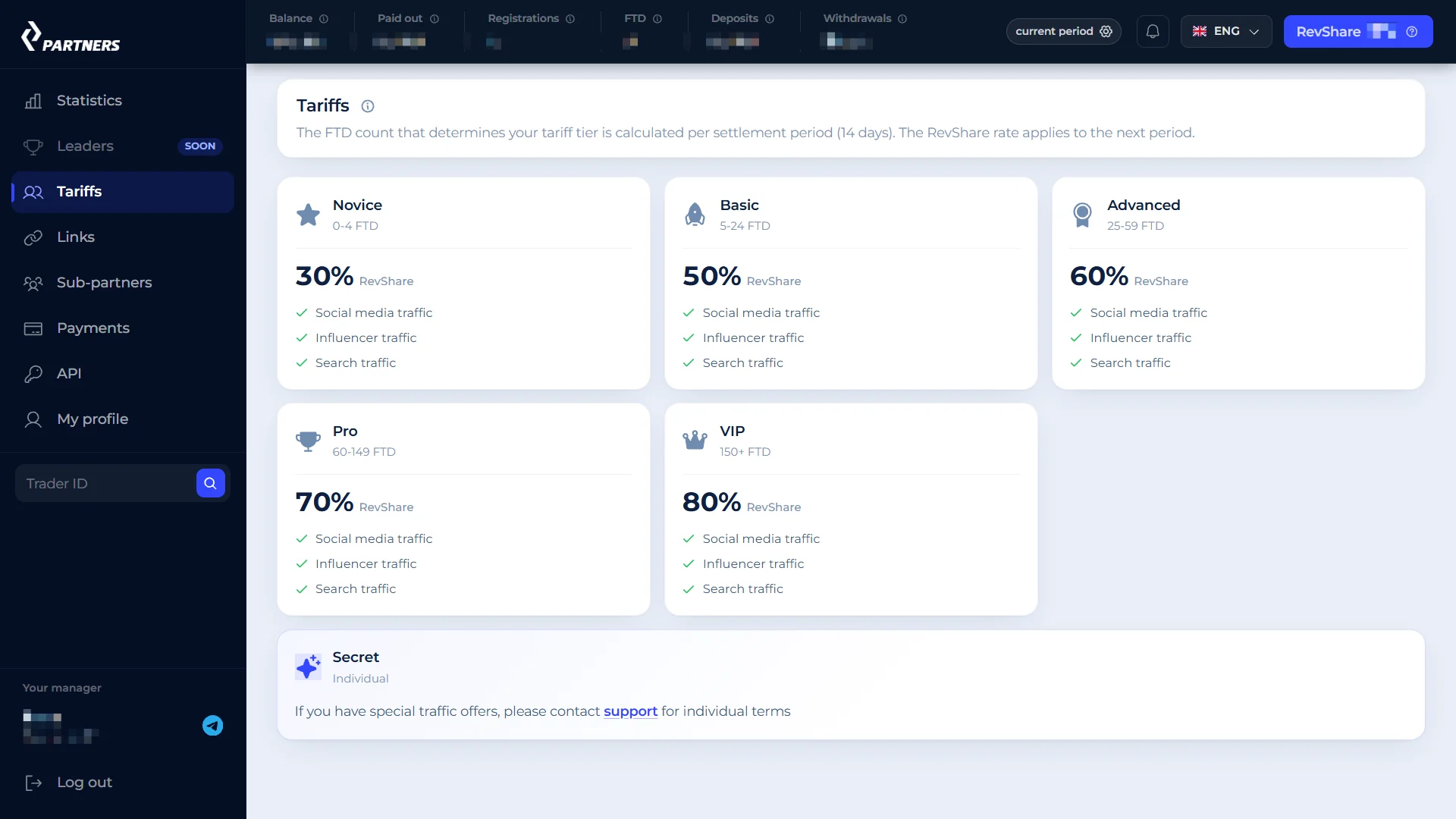
- Novice - 30% at 0-4 FTD per period
- Basic - 50% at 5-24 FTD
- Advanced - 60% at 25-59 FTD
- Pro - 70% at 60-149 FTD
- VIP - 80% at 150+ FTD
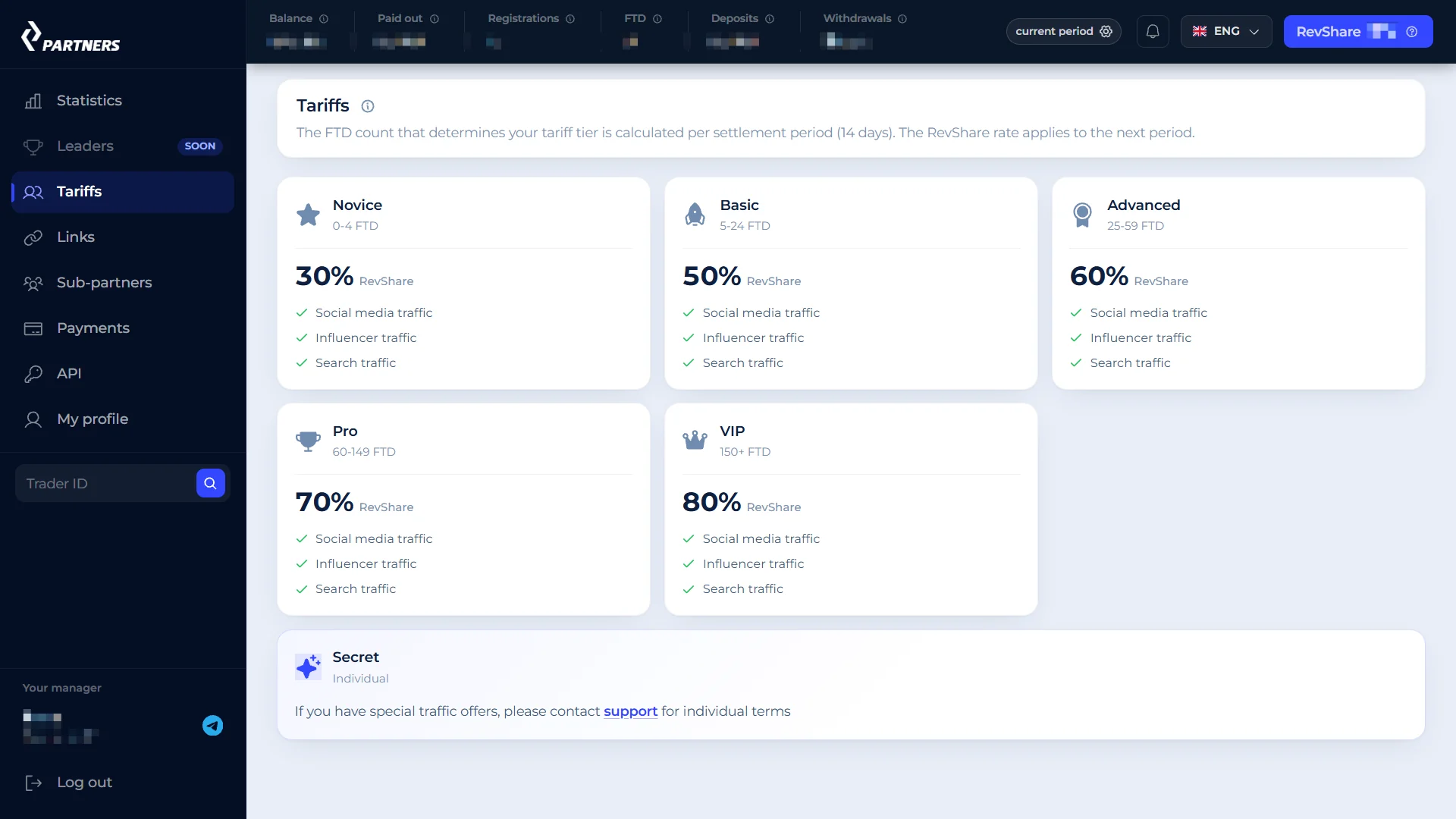
The starting rate is 30%, granted right at sign-up. After that everything runs in periods: the system looks at how many FTD you brought in during the closed period and sets your rate for the next one based on that number. Say you hit 5 FTD - that 50% doesn't kick in immediately, it applies from the next period, and the days already closed aren't recalculated. There's also a "Secret" tier with individual terms, but a manager sets it manually - you can't grow into it automatically by volume.
How the Money Is Actually Calculated
This is the most useful part, because it's exactly where details usually get lost. Partner income isn't calculated from turnover or deposits, but from Net Gaming - the platform's income on referred traders' real trades, minus payment processor fees. Per trade: if the trader lost, that amount adds to Net Gaming; if they won, it subtracts the amount of their net profit; a break-even trade is zero. Demo accounts don't count at all.
Bonuses are tracked as a separate negative column. While a referral is still wagering through a bonus, that portion doesn't enter Net Gaming and costs nothing. The moment the wagering requirement is cleared and the bonus becomes the trader's real money, the whole amount goes into the negative at once - and it shows up as its own line, not spread across days.
The formula is simple: partner income = (Net Gaming + Bonuses) × RevShare rate. It accrues per closed trade, at whatever rate was active at that moment.
Payment Processor Fees - Also on the Partner
Something affiliate landing pages almost never mention: payment processor fees reduce the exact base the partner's share is calculated from. A card deposit costs 8.75% of the amount, a crypto deposit is a flat $2, a card withdrawal is 3.5% plus 20 UAH (converted to dollars at the rate at confirmation time), and a crypto withdrawal is free. The partner carries this fee in proportion to their rate - at 50%, the partner covers half the fee - and it doesn't affect the amount the trader themselves receives.
On the plus side - precision. Ledger entries are tracked to six decimal places, and only the final payout amount gets rounded. A small thing, but nice not to lose fractions of a cent to rounding on every single trade.
Payouts: No Manual Request
The settlement period is 14 calendar days in UTC, a shared calendar for every partner, not tied to my sign-up date. When the period closes, a payout request is created automatically, with no action needed on my part - there's simply no "request payout" button anywhere in the interface.
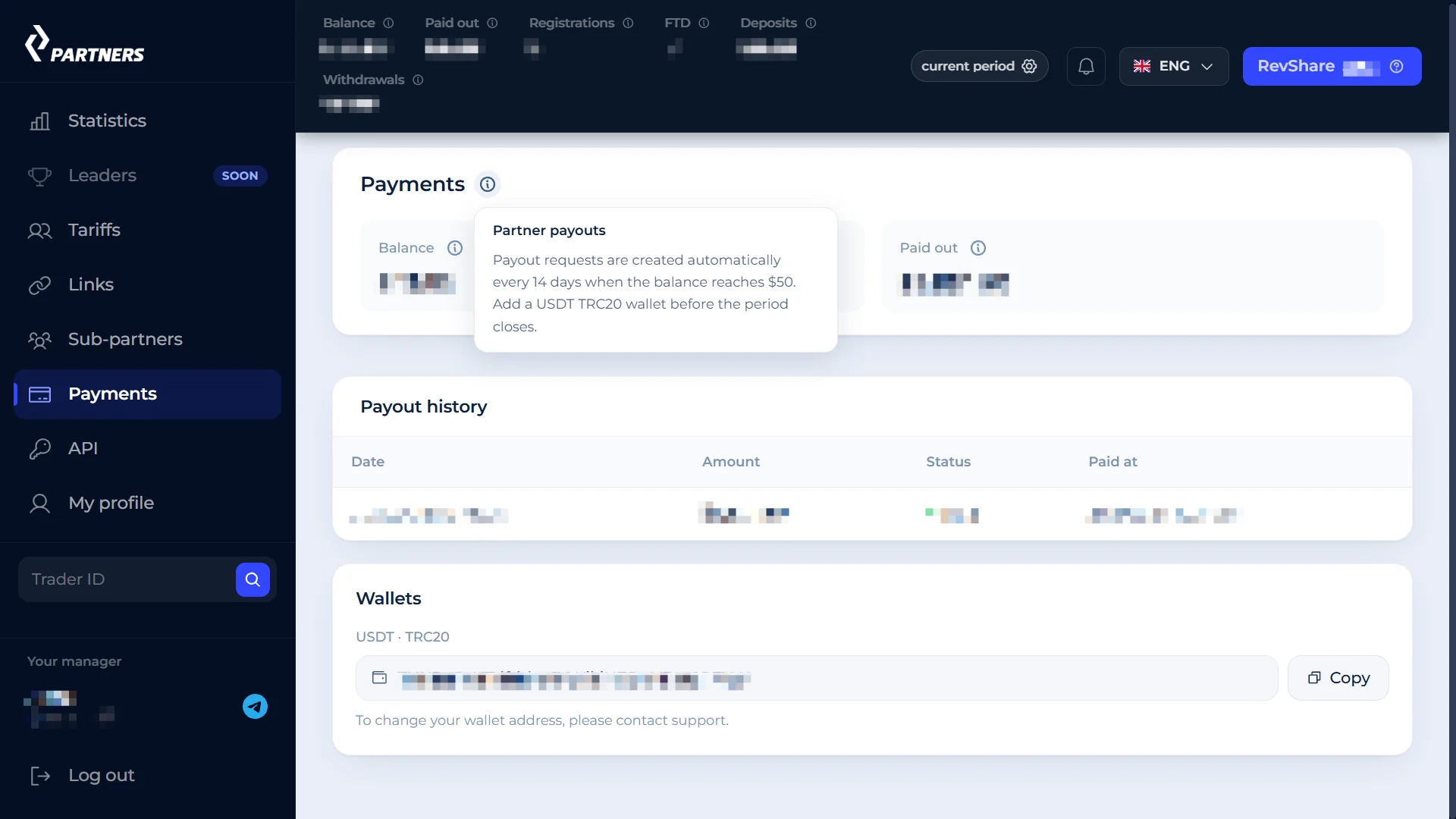
The payout threshold is $50, counting the accumulated balance. If the amount is lower (even zero or negative), it just rolls over into the next period as a "Previous" line - nothing is lost. A negative balance isn't reset either: it's a debt, and it carries forward until it's worked off.
Payout is USDT on TRC20 only, one wallet per partner, added in the dashboard and changed afterward only through support. If the wallet isn't added before the period closes, the amount again just rolls over instead of disappearing. And if a previous request is still sitting in "Pending" status, a new one isn't created - it all accumulates as the next line.
Out of habit I kept looking for a "withdraw funds" button, like on an exchange or in a regular wallet. There just isn't one here: the period closes on its own, and the money arrives on its own, as long as the threshold is met and the wallet is in place.
Links, Promo Codes and the Attribution Window
The Links section lets you create up to five named links, with a name up to 64 characters, mostly for your own record-keeping. The code in the URL (?pid=...) can be auto-generated or set manually - 4 to 20 characters, Latin letters and digits.
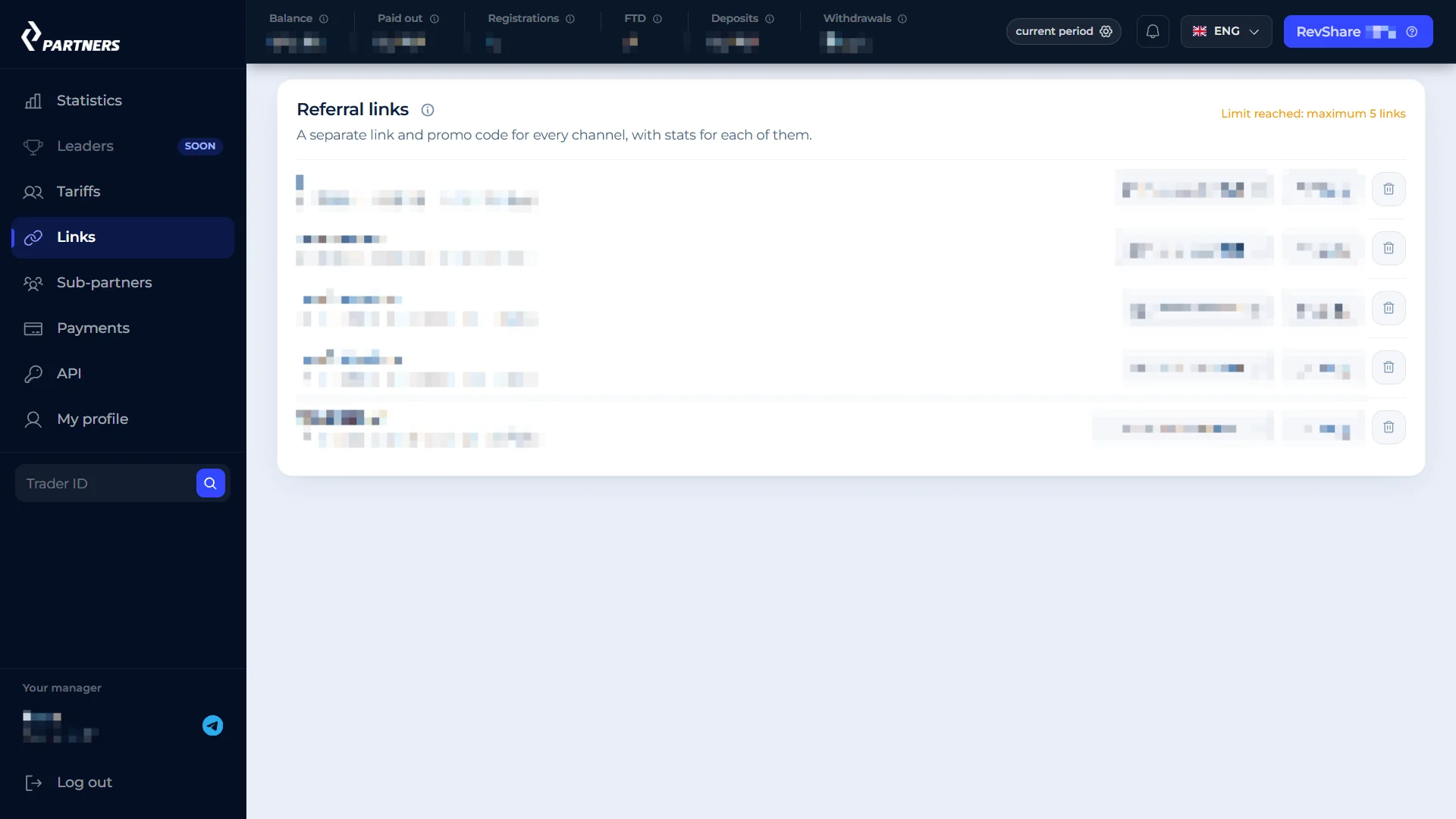
Each link can have one promo code attached, ever - 2 to 7 characters, must start with a letter. A promo code lets someone sign up on the platform without clicking the link itself, which is handy for voice or print content. But it can't be changed once attached, and if you delete the link itself, the promo code is gone for good - worth remembering before deleting anything.
One more detail - the attribution window: a click on the link only counts for two hours (via cookie). But if someone registers within that window, the attribution to the partner becomes lifetime, not limited to that window. You can add your own tags to a link - click_id, sub_id1 through sub_id5, site_id, cid - they're just stored and later available through the API if you need finer source-level analytics.
Statistics in the Dashboard
The Statistics section is a day-by-day table with a total for the period: clicks, sign-ups, traders, trades, volume, FTD, FTD value, deposits, withdrawals, Net Gaming, bonuses and partner income as separate columns. You can view the current period, any past one, quick presets like "7 days" and "30 days", or set a custom range, plus filter by a specific link.
Clicking a specific day expands the list of referrals from that day - useful for figuring out who exactly drove a spike in the numbers. And searching by trader ID pulls up a card: country, registration date, number and amount of deposits, balance, trades, Net Gaming, the income they generated, and last activity. If a trader deleted their account, the card doesn't disappear - it's just marked "Deleted".
The statistics table can be exported to CSV along with a totals row - handy for cross-checking against an ad account or just saving the numbers for a period. All dates and settlement period boundaries are in UTC, worth keeping in mind if you're used to counting days in your own timezone.
The Sub-Affiliate Program
The program has a separate link - not the one for traders, but for inviting other partners. The default rate is 5%, and here's the important nuance: it's calculated not from the invited partner's turnover, but from the amount actually paid out to them. If their payout is reduced or rejected, no commission accrues from it.
The lock-in period for an invited partner is 2 years from their sign-up date, fixed at the moment of registration and not changed retroactively even if program terms change later. The table shows each invited partner: status, their rate, how much has been paid to them, how much has accrued to you, and until what date this keeps working.
The Partner API
API access doesn't open right away - only after five FTD in total, which is exactly the "Basic" tier threshold. A manager can open access earlier or block it regardless of that threshold. You can hold up to five keys at once, and the key itself is shown only once, at creation - hidden after that.
The methods cover the referral list and trader cards, an inactive-trader segment, an accrual feed and an activity feed, payouts, grouped statistics, and a catalog of trading instruments. A key's permissions are configured separately, including trading rights - but that permission can only be granted at key creation, not added retroactively. Limitations: the API rejects requests from the US and Israel, and there are rate limits.
A separate option is promo accounts: up to five of your own trading accounts linked to the partner account, which you can trade on yourself, including via the API - for streams or educational content, for example. These accounts are fully excluded from partner statistics and accruals, which makes sense - otherwise you could inflate your own numbers.
What Can Happen to the Dashboard
Besides moderation at sign-up, the dashboard can end up in a couple of other states. If a partner's referrals made zero deposits during a closed period, the dashboard temporarily locks with a request to contact support - but it doesn't touch the money: accruals continue, links work, and the period closes and pays out as normal; only interface access needs to be restored manually.
There are stricter statuses too - where links stop attributing new traffic and API keys get revoked, but already-attributed traders keep generating accruals. Felt fair: if something goes wrong with new traffic, a partner's prior work doesn't get wiped out.
What I Liked, and What Gave Me Pause
Liked
- The income formula is transparent and honestly explained - Net Gaming minus fees, not a vague "share of turnover".
- Payouts are fully automatic - nothing to request, nothing to miss.
- A negative balance or a remainder below the threshold isn't lost - it just carries forward.
- The sub-affiliate program is calculated from the amount actually paid out, not turnover - fewer reasons for disputes.
- Accruals are tracked to six decimal places - no fractions lost to rounding.
Gave me pause
- Payment processor fees fall on the partner in proportion to their rate - worth knowing upfront, not finding out after the fact.
- A promo code can't be edited, and it's gone for good if you delete the link - better to plan the name in advance.
- The link attribution window is short - two hours - even though the attribution itself becomes lifetime after sign-up.
- API access only opens after five FTD - no working with the numbers via API before that.
Bottom Line
I'm not going to write "everyone should sign up" - that's not the format. What I have is one registered CT Partners account and the mechanics worked out: how income is calculated, where the fees go, when and how a payout arrives. What I appreciated most is that the income formula is explained honestly, right down to how bonuses and payment fees get deducted - usually the murkiest part of any affiliate program. If you decide to try it, plan your link names and promo codes in advance since they can't be changed later, and keep a USDT TRC20 wallet added ahead of time so you don't wait an extra period for the first payout.